A budget is a plan to prepared for the flow of funds / money in an organization. It contains financial guidelines for the future plan of action for a selected period of time.
By creating budgets for income, expenses, and specific projects, and comparing the actual performance with the budgeted figures, businesses can make better financial decisions
Budgeting helps businesses to set a financial plan (budget) for different accounts, groups. after its enables you can compare actual performance with your planned budget and take necessary actions when deviations occur.
You can set budgets for:
- Income and Expenses: Track the income and expense for a specific period.
- Profit and Loss: Analyze the profitability of your business units.
Multiple budgets can be created for specific purposes in Tally Prime, Such as Marketing Budgets, Finance Budgets, and so on, can also be created.
Benefits of Using Budget & Control in TallyPrime
- Financial Planning: Helps you create a detailed financial plan for the business.
- Monitor Performance: Compare actual income/expenses with budgeted figures.
- Cost Control: Identify areas where you can cut costs and improve profitability.
- Informed Decision Making: Track your business’s performance and make better decisions.
- Accurate Reporting: Generate reports to check the budget vs actual performance.
Now that you have a step-by-step guide on how to use Budget & Control in TallyPrime, you can begin implementing it in your business for more effective financial management.
Step 1 Create Expense Ledger
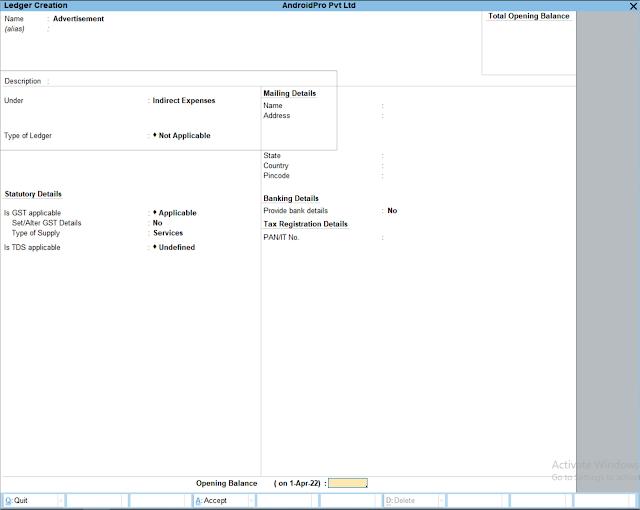
Step 2 Create Budget
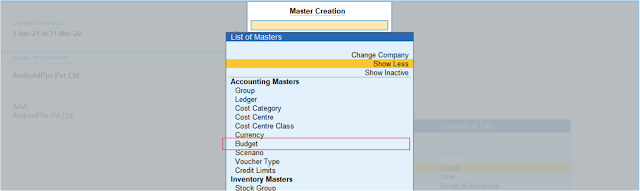
Gateway Of Tally >> Create >> Budget
If You Didn’t Find “Budget” Option Then Click On Show More Option And Search
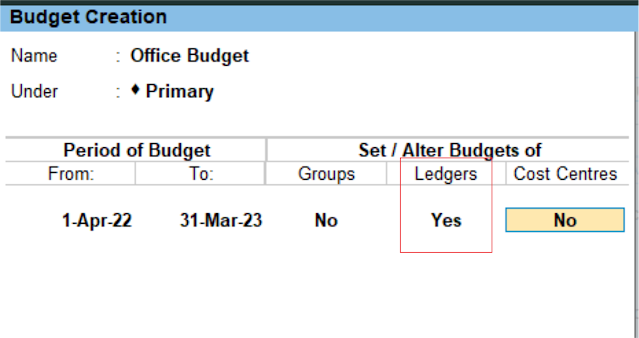
Budget Creation
- Budget Name – Office Budget
- Under – Primary
- Period of Budget – 1-Apr-22 to 31Mar-23
- Ledger – Yes
Budget Amount Setup

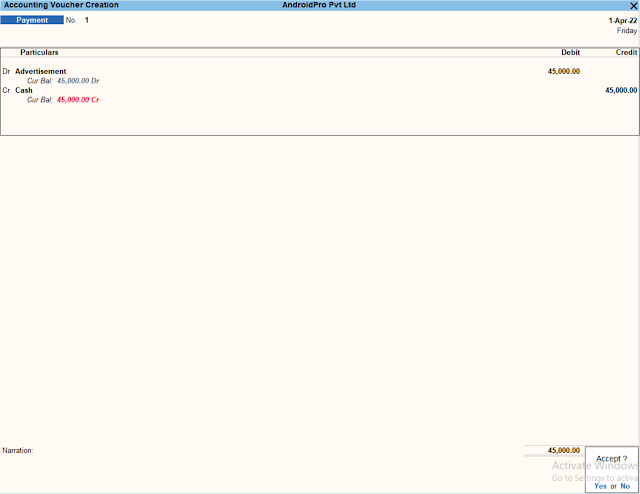
Step 4 : Payment Voucher as Your Expense, Now Pass You Entry Which Amount Paid By Your Company over the time.
Here Passed Two Entry For Expense Which Amount Paid By Cash To Advertisement Agency And Other Stationary Shop
Profit & Loss A/c
GOT >> Profit & Loss A/c >> Indirect Expenses
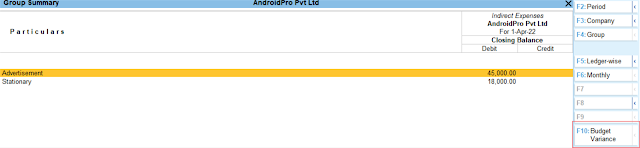
Click Budget Variance
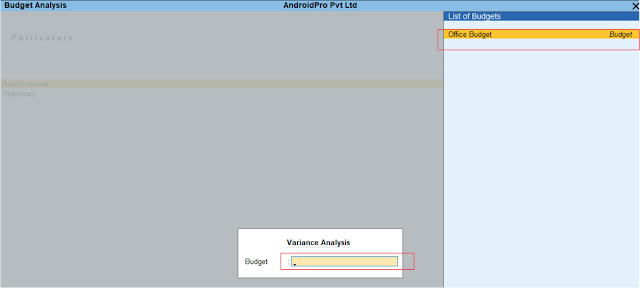
Budget
